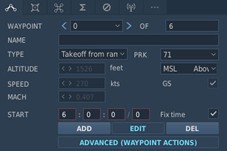
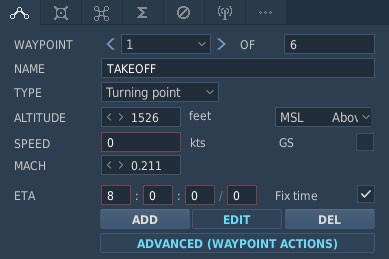
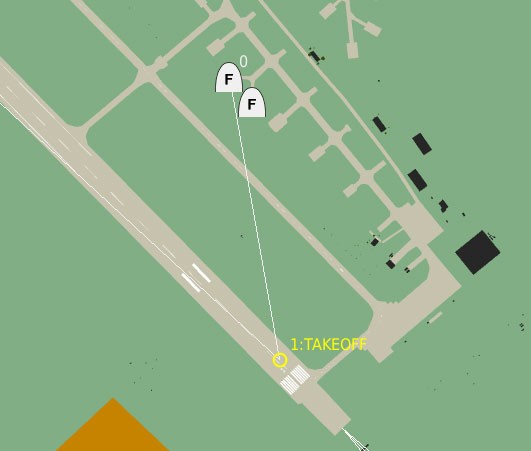
To ensure that DCS AOC Tools correctly extracts takeoff and landing information from a DCS World mission file, the mission editor should be configured with dedicated takeoff and landing waypoints.
For example:
TASKUNIT/1FW/ICAO:LLKA//AMSNDAT/N/0121C/-/AAF/-/BARCAP/-/-/DEPLOC:LBNA/010715ZOCT/ARRLOC:LLKA/010815ZOCT//
When configured correctly, DCS AOC Tools identifies the takeoff and landing waypoints and includes them in the 6ROUTE section of the generated Air Tasking Order (ATO).
DEPLOC and ARRLOC
DEPLOC and ARRLOC can be specified directly by using the DEP: and ARR: prefixes in the waypoint name.
For example:
DEP:LBNAARR:LLKA
The text specified after DEP: or ARR: is used directly as the DEPLOC or ARRLOC value. It does not have to be a valid ICAO code. However, when the value represents an actual departure or arrival airfield, using the corresponding valid ICAO code is the correct and recommended convention.
For example, a waypoint named:
DEP:KLSV
will result in:
DEPLOC:KLSV
Likewise:
ARR:RECOVERY
will result in:
ARRLOC:RECOVERY
If no DEP: or ARR: waypoint is specified, DCS AOC Tools uses the ICAO code of the Task Unit associated with the mission as the fallback value for both DEPLOC and ARRLOC, provided that an ICAO code is defined for that Task Unit.
Identifying Takeoff and Landing Waypoints
For the 6ROUTE section, takeoff and landing waypoints must still be explicitly identified in the waypoint name.
There are two supported naming conventions:
-
TAKEOFForDEP:for the takeoff waypoint -
LANDINGorARR:for the landing waypoint
This identification is still required because not every mission uses the first waypoint as the actual takeoff point.
If you do not want the aircraft's takeoff time to be the same as the waypoint 0 ETA (spawn time), set waypoint 0 to a parking position, such as Takeoff from Ramp, and use waypoint 1 as the actual takeoff waypoint.
Using TAKEOFF and LANDING
If the waypoint name is TAKEOFF or LANDING:
6ROUTE/PN/ROUTEPT/TYP/ATIME/TAS/ALT/1/NAME:TAKEOFF/-/210400ZJUN/-/-///5/NAME:LANDING/-/210540ZJUN/-/-//
DCS AOC Tools identifies these waypoints as the takeoff and landing points and includes them in the generated 6ROUTE block.
Using DEP: and ARR:
Alternatively, the waypoint name can include the DEP: or ARR: prefix.
For example:
DEP:UG5XARR:UGKO
The generated 6ROUTE section will then use the corresponding waypoint information:
6ROUTE/PN/ROUTEPT/TYP/ATIME/TAS/ALT/1/ICAO:UG5X/-/210400ZJUN/-/-///2/ICAO:UGKO/-/210421ZJUN/-/-//
The DEP: and ARR: prefixes therefore serve two purposes:
-
They identify the waypoint as the departure or arrival point for the 6ROUTE section.
-
The text following the prefix is used as the corresponding DEPLOC or ARRLOC value.