Escort missions in DCS AOC Tools are identified by the ASUPTFOR and ASUPTBY lines in the generated Air Tasking Order (ATO). These lines define the relationship between the supported flight and its escort flight.
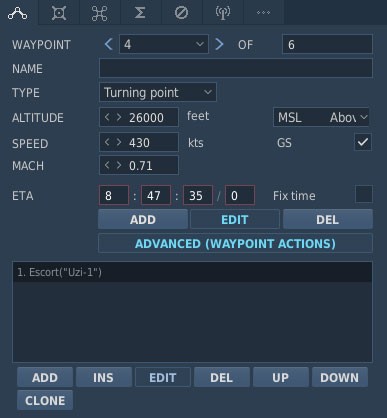
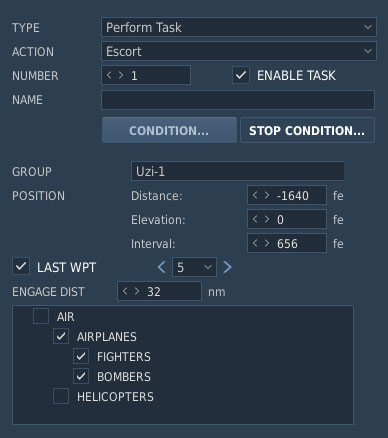
To configure an escort mission in the DCS World Mission Editor, first set the mission Task to Escort. Then, add a waypoint action with the Escort action and select the aircraft group that the flight is assigned to escort.
DCS AOC Tools reads this relationship from the DCS World mission file and uses it to generate the corresponding operational data in the ATO.
For example, an escort relationship can produce the following lines:
ASUPTFOR/STRIKE/1FW/0121C/VR01/04/ACTYP:F-16/PFREQ:156.5/SFREQ:121.5//
ASUPTBY/ESCORT/1FW/0122C/VR02/04/ACTYP:F-16/PFREQ:155.5/SFREQ:122.5//
The ASUPTFOR line identifies the flight being supported, while the ASUPTBY line identifies the escort flight providing support. Correctly configuring the escort relationship in the DCS World Mission Editor allows DCS AOC Tools to preserve this relationship when generating the mission documentation.