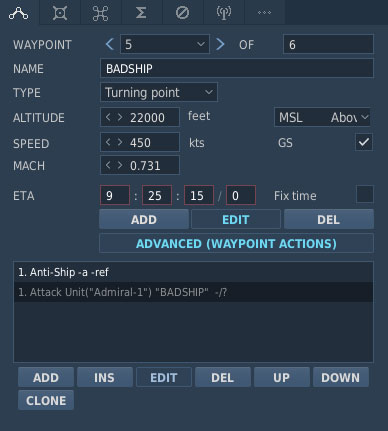
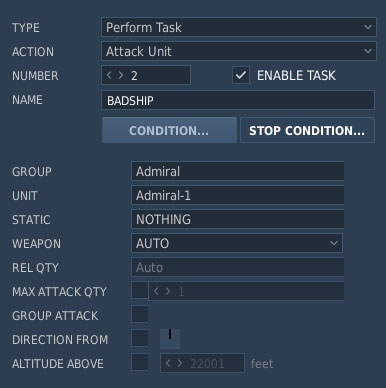
Missions against specific enemy units in DCS World, such as antiship or air interdiction missions, require the target to be explicitly assigned in the DCS World Mission Editor. DCS AOC Tools uses the configured target waypoint action to extract the target information and generate the appropriate target line in the Air Tasking Order (ATO).
To identify a specific enemy unit or group as the mission target, use either the Attack Group or Attack Unit waypoint action and select the appropriate target.
The type of target determines which ATO line is generated:
- Antiship missions: DCS AOC Tools generates a SHIPTGT line for the assigned maritime target.
- Other missions against specific enemy units: DCS AOC Tools generates a GTGTLOC line containing the target information.
For example, an antiship mission can produce a SHIPTGT line such as:
SHIPTGT/TOT:011030ZOCT/NET:-/NLT:-/HOS/DD/-/-/P/-/292330Z/LATM:0123N04525E/-/260/10//
Correctly assigning the target through the Attack Group or Attack Unit waypoint action allows DCS AOC Tools to identify the intended enemy unit or group when processing the DCS World mission file and generate the corresponding target information in the ATO.